30 Trending AI Girl Photo Editing Prompts for ChatGPT & Gemini in 2026
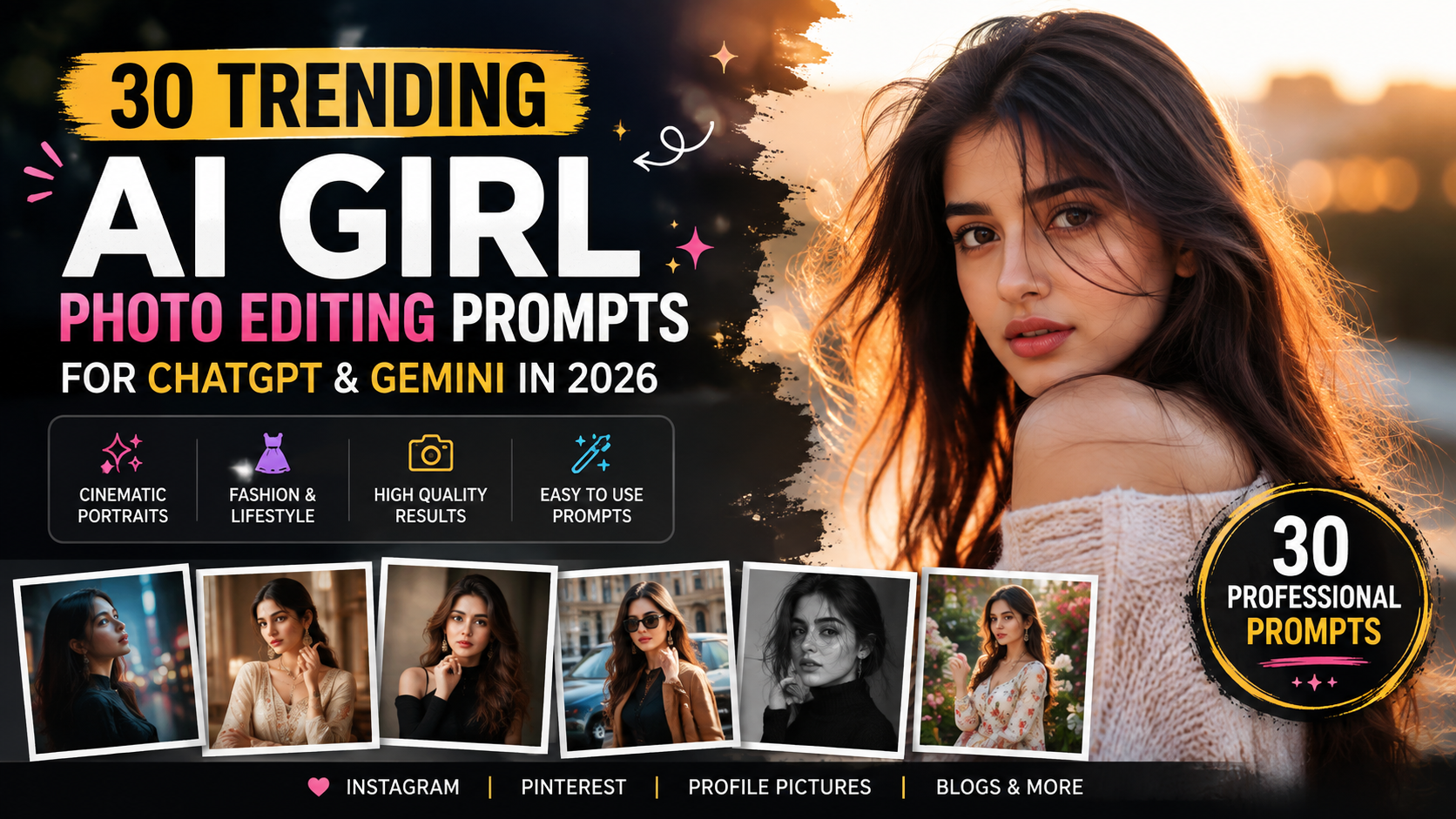
AI photo editing has changed the way people create portraits for Instagram, Pinterest, profile pictures, and creative projects. Instead of learning complicated editing software, you can now upload a photo and use a well-written AI prompt to transform its lighting, background, outfit, mood, and overall photography style.
The key, however, is using a specific prompt rather than simply asking AI to “make my photo beautiful.” Trending AI Girl Photo Editing Prompts
This guide contains 30 professional AI girl photo editing prompts designed for tools such as ChatGPT and Gemini. The prompts cover cinematic portraits, natural lifestyle photography, Indian fashion, luxury looks, vintage edits, black-and-white photography, professional headshots, and more.
For the most realistic results, use a clear reference photo and tell the AI to preserve the person’s recognizable facial features and natural appearance.
How to Use These AI Photo Editing Prompts
Start by uploading a clear photo to your preferred AI image tool. Then copy one of the prompts below and paste it with your image.
For better results:
- Use a clear, well-lit reference photo.
- Tell the AI to preserve recognizable facial features.
- Specify the environment and lighting you want.
- Mention the photography style instead of using vague words.
- Avoid changing unnecessary facial characteristics.
- Use 4:5 for Instagram portraits and 9:16 for Stories or Pinterest-style vertical content.
Now let’s get into the prompts.
Cinematic AI Girl Photo Editing Prompts
1. Cinematic Street Portrait
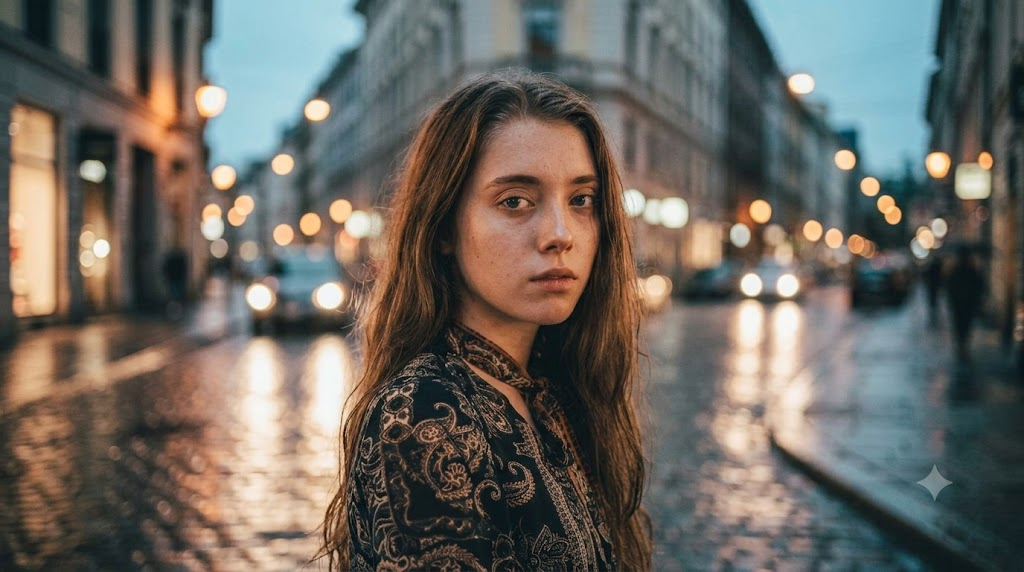
Use the uploaded photo as the identity reference. Preserve the person's recognizable facial features, natural skin texture, hairstyle and overall identity. Transform the scene into a cinematic evening street portrait with realistic city lights, subtle reflections, shallow depth of field, soft background bokeh and natural shadows. Use professional editorial photography, realistic skin texture, balanced contrast and a subtle cinematic color grade. Keep the result photorealistic and avoid artificial-looking skin or excessive retouching.
2. Golden Hour Movie Look
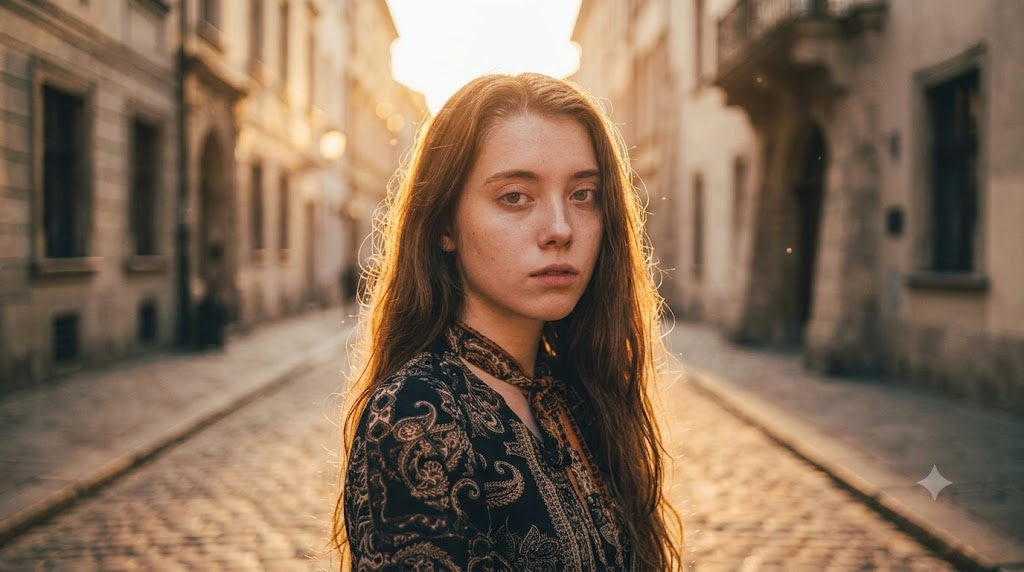
Transform the uploaded portrait into a cinematic golden-hour photograph. Preserve the person’s recognizable identity, facial structure, hairstyle and natural skin texture. Place them outdoors during warm sunset light with soft rim lighting, realistic shadows, gentle lens flare and a naturally blurred background. Create the feeling of a high-budget movie still while keeping the person realistic and authentic.
3. Rainy Night Cinematic Portrait
Edit the uploaded photo into a realistic cinematic rainy-night portrait. Preserve the person’s identity and facial features. Add a softly illuminated urban street, subtle rain reflections, realistic wet pavement, practical city lights and shallow depth of field. Use moody professional photography with natural skin texture and controlled highlights. Do not make the image look like digital artwork.
4. Café Lifestyle Portrait
Turn the uploaded image into a natural lifestyle portrait inside a modern café. Preserve the person's recognizable face, hairstyle and natural appearance. Add warm window light, realistic café details, subtle background blur and authentic environmental shadows. The final image should look like a professionally photographed candid lifestyle moment rather than an AI-generated image.
5. Movie Poster Portrait
Create a cinematic movie-poster-style portrait using the uploaded photo as the identity reference. Preserve recognizable facial features and natural skin texture. Use dramatic directional lighting, a sophisticated dark background, subtle atmospheric depth and professional editorial composition. Keep the portrait realistic and premium, with cinematic contrast and restrained color grading.
Natural Lifestyle AI Photo Prompts
6. Window-Light Portrait
Transform the uploaded photo into a natural indoor portrait beside a large window. Preserve the person’s recognizable identity, facial features and hairstyle. Use soft natural daylight falling across the face, realistic skin texture, subtle shadows and a clean minimal interior. Create the appearance of a professional lifestyle photograph taken with a high-quality camera.
7. Garden Portrait
Use the uploaded image as the identity reference and create a natural garden portrait. Preserve facial identity, hairstyle and realistic skin texture. Place the person among soft green foliage with gentle morning sunlight, natural shadows and a shallow depth of field. Keep the composition authentic and photographic rather than overly polished.
8. Casual Street Style
Edit the uploaded photo into a realistic casual street-style portrait. Preserve the person’s identity and natural facial features. Place them on a modern urban street with realistic architecture, soft daylight and subtle background blur. Create a fashion-photography feel while keeping the pose relaxed and natural.
Indian Fashion & Traditional Prompts
9. Elegant Saree Portrait
Transform the uploaded photo into an elegant traditional saree portrait. Preserve the person’s recognizable facial features, natural skin texture and hairstyle. Dress them in a sophisticated saree with realistic fabric folds and detailed textures. Use soft studio lighting, a refined background and professional Indian fashion photography composition. Keep the result photorealistic and graceful.
10. Traditional Festival Portrait
Create a realistic festive Indian portrait using the uploaded photo as the identity reference. Preserve the person’s face, hairstyle and natural appearance. Add an elegant traditional outfit, subtle festive decorations, warm ambient lighting and realistic environmental details. Maintain authentic fabric textures and natural skin tones.
11. Luxury Indian Editorial
Create a premium Indian fashion editorial portrait from the uploaded image. Preserve the person’s recognizable identity and facial structure. Style the subject in an elegant traditional outfit with detailed fabric texture, sophisticated jewelry and refined studio lighting. Use a luxury magazine composition with realistic shadows, professional photography and natural skin texture.
Luxury & Fashion Prompts
12. High-Fashion Editorial
Turn the uploaded portrait into a high-fashion editorial photograph. Preserve the person’s recognizable identity, natural facial features and skin texture. Use sophisticated studio lighting, a minimalist luxury background, refined styling and professional magazine composition. Add realistic fabric details and subtle depth of field while avoiding excessive retouching.
13. Luxury Hotel Portrait
Transform the uploaded image into a sophisticated luxury hotel portrait. Preserve the person’s identity and natural appearance. Place them in an elegant modern hotel interior with warm architectural lighting, premium textures and subtle background blur. Create a polished editorial photograph with realistic details and professional composition.
14. Magazine Cover Style
Use the uploaded photo as the identity reference and create a premium fashion magazine portrait. Preserve recognizable facial features and natural skin texture. Use clean studio lighting, sophisticated styling, a minimalist background and strong editorial composition. Make it look like a professionally photographed fashion campaign.
Aesthetic & Viral AI Photo Prompts
15. Pinterest Aesthetic Portrait
Transform the uploaded photo into a soft Pinterest-inspired lifestyle portrait. Preserve the person’s recognizable face, hairstyle and natural appearance. Use soft daylight, neutral surroundings, subtle film grain, gentle shadows and an elegant minimal composition. Keep the result realistic, clean and naturally photographed.
16. 90s Retro Portrait
Edit the uploaded photo into a realistic 1990s-inspired portrait. Preserve the person’s identity and facial features. Add subtle analog film grain, authentic retro styling, warm natural lighting and a slightly nostalgic photography texture. Avoid exaggerated filters and keep the image photorealistic.
17. Polaroid-Inspired Photo
Transform the uploaded portrait into a realistic instant-film-inspired photograph. Preserve the person’s recognizable facial features and natural appearance. Use soft lighting, subtle film texture, natural colors and an authentic candid composition. The result should feel like a real photograph rather than a digital illustration.
18. Soft Dreamy Portrait
Create a dreamy but realistic portrait using the uploaded image as the identity reference. Preserve facial identity and natural skin texture. Use soft diffused lighting, gentle background blur, subtle atmospheric depth and a clean elegant environment. Keep the face realistic and avoid excessive smoothing.
Black & White AI Photo Prompts
19. Classic Black & White Portrait
Convert the uploaded photo into a professional black-and-white portrait while preserving the person’s recognizable identity, facial features and natural skin texture. Use controlled studio lighting, deep but natural shadows and strong tonal separation. Create a timeless fine-art photography appearance with realistic texture and subtle film grain.
20. Cinematic Monochrome Portrait
Transform the uploaded image into a dramatic cinematic monochrome portrait. Preserve the person’s identity and facial structure. Use directional lighting, deep shadows, soft highlights and subtle film grain. Create a sophisticated film-noir-inspired photography style without making the image look artificial.
21. Vintage Black & White Photo
Create a realistic vintage black-and-white photograph from the uploaded image. Preserve recognizable facial features and natural skin texture. Add subtle analog grain, soft contrast and classic photographic tonality. Keep the composition elegant, authentic and timeless.
Professional AI Portrait Prompts
22. Professional Profile Photo
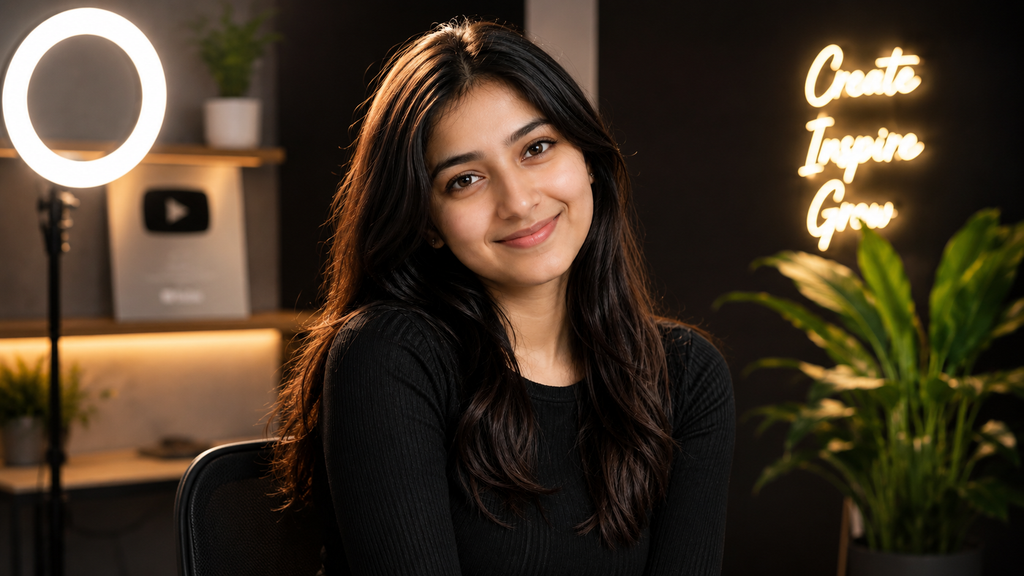
Transform the uploaded photo into a professional profile portrait. Preserve the person’s recognizable face, hairstyle and natural appearance. Use clean studio lighting, a simple neutral background, realistic skin texture and balanced composition. Make the image polished and professional without changing the person’s identity.
23. Creator Profile Portrait
Edit the uploaded image into a professional social-media creator portrait. Preserve facial identity and natural skin texture. Use modern studio lighting, a clean background, subtle depth of field and contemporary editorial photography. Keep the result authentic and suitable for a professional creator profile.
24. Studio Headshot
Create a realistic professional studio headshot using the uploaded photo as the identity reference. Preserve facial features, hairstyle and natural skin texture. Use soft key lighting, subtle fill light, a clean background and professional camera composition. Avoid excessive beauty retouching.
Travel & Outdoor Prompts
25. Luxury Travel Portrait
Transform the uploaded photo into a realistic luxury travel portrait. Preserve the person’s recognizable identity and natural appearance. Place them in an elegant travel destination with realistic architecture, natural daylight and subtle depth of field. Use premium travel-editorial photography with authentic environmental details.
26. Beach Sunset Portrait
Turn the uploaded image into a realistic beach sunset portrait. Preserve the person’s facial identity and hairstyle. Add warm sunset lighting, realistic ocean reflections, natural wind movement and soft atmospheric depth. Keep the composition cinematic but believable, with authentic skin texture and natural shadows.
27. Mountain Travel Portrait
Create a professional outdoor mountain portrait from the uploaded photo. Preserve the person’s recognizable face and natural appearance. Place them in a realistic mountain environment with soft daylight, atmospheric distance and natural environmental shadows. Use high-end travel photography composition while keeping the subject authentic.
Creative AI Photo Prompts
28. Double-Exposure Portrait
Create an artistic but photorealistic double-exposure portrait using the uploaded image as the identity reference. Preserve recognizable facial features and natural skin texture. Blend the portrait subtly with an atmospheric cityscape and soft architectural shapes. Keep the face clear and realistic while creating an elegant editorial effect.
29. Cinematic Collage
Transform the uploaded photo into a sophisticated cinematic collage featuring multiple photographic frames of the same person. Preserve consistent facial identity across every frame. Use realistic photography, subtle film grain, dramatic lighting and a cohesive editorial composition. Avoid distorted facial features.
30. Dreamy Editorial Portrait
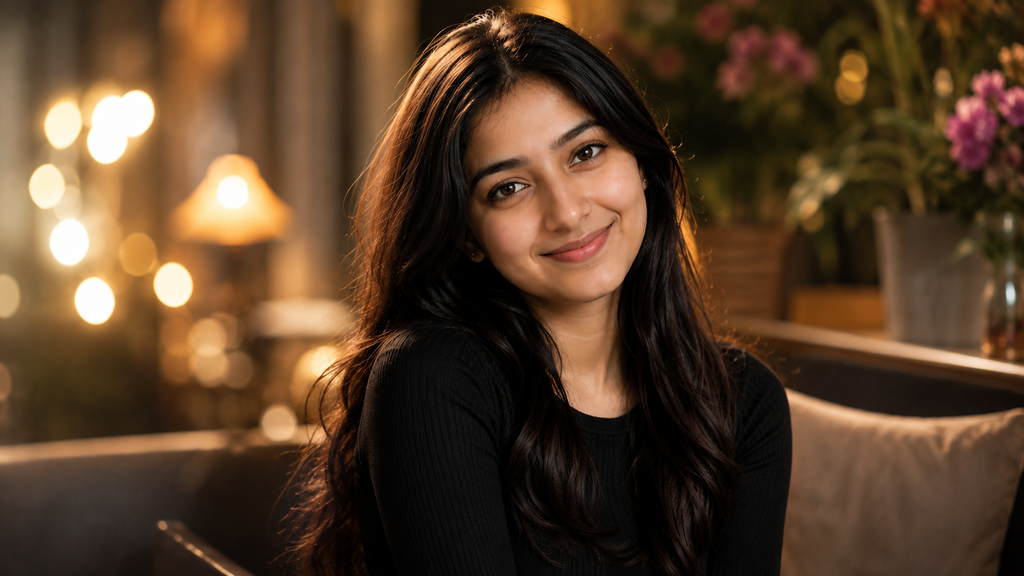
Create a premium dreamy editorial portrait using the uploaded image. Preserve the person’s identity, facial structure and natural skin texture. Use soft atmospheric lighting, elegant styling, subtle background depth and professional fashion photography composition. Keep the final image realistic and refined.
How to Get More Realistic AI Photo Results
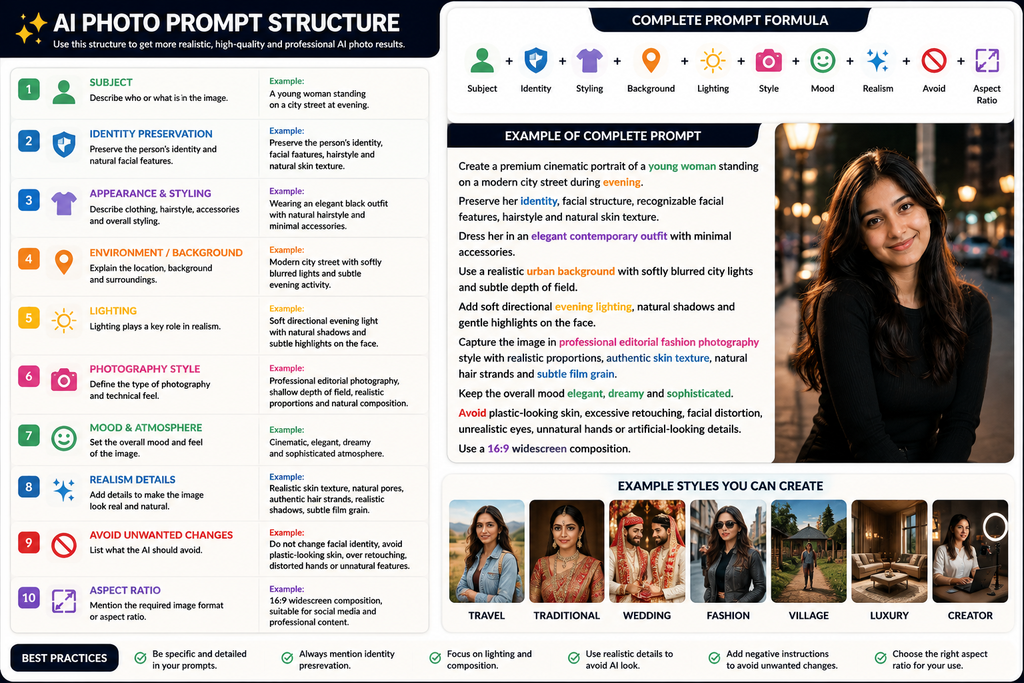
The biggest difference between an average AI photo and a convincing one is usually how specifically the prompt describes the scene.
Instead of writing:
✨ AI Prompt
Give the AI more useful information:
✨ AI Prompt
“Create a cinematic evening portrait with directional street lighting, shallow depth of field, realistic skin texture, subtle film grain and natural shadows.”
This gives the image model a clearer visual direction.
Another useful technique is identity preservation. If you’re editing your own photo, explicitly ask the tool to preserve recognizable facial features, hairstyle and natural skin texture. This can help reduce unwanted changes during transformation.
Don’t overload every prompt with dozens of camera settings either. A strong prompt should communicate the subject, environment, lighting, composition and desired visual style clearly.
Best Aspect Ratios for AI Girl Photos Trending AI Girl Photo Editing Prompts
4:5 — Instagram portrait posts and Pinterest images
9:16 — Stories, Shorts and vertical social content
1:1 — Profile pictures and square social posts
16:9 — Website banners and landscape compositions
For Pinterest specifically, a 2:3 vertical composition is also a practical choice.
ChatGPT vs Gemini for AI Photo Editing
Both ChatGPT and Gemini can be useful for image-related creative workflows, but results can vary depending on the image model, reference image and prompt.
Rather than relying on one tool, test the same prompt with your preferred image generator and make small adjustments to the lighting, background, pose and styling.
The prompt is only one part of the result. Your reference image quality and the image model you’re using also matter.
Final Thoughts
The best AI girl photo editing prompts aren’t necessarily the longest ones. They are the ones that clearly explain what should change and what should stay consistent.
Whether you want a cinematic street portrait, elegant saree photo, luxury fashion image, vintage photograph, professional headshot or aesthetic Instagram picture, these prompts give you a strong starting point.
Try one prompt first, compare the result with your original photo, and then adjust the lighting, background or mood rather than changing everything at once.
Save this guide so you can come back whenever you want to create a new AI portrait with ChatGPT or Gemini.
FAQs
What are AI girl photo editing prompts?
AI girl photo editing prompts are instructions that tell an AI image tool how to transform a portrait. They can control elements such as lighting, background, clothing style, photography mood, composition and visual effects.
Can I use these prompts with Gemini?
Yes. These prompts are written as general image-editing instructions and can be adapted for Gemini and other AI image-generation or editing tools.
Can I use these prompts with ChatGPT?
Yes. You can use them with compatible ChatGPT image features by uploading your reference photo and providing the editing instructions.
How do I keep my face recognizable?
Use a clear reference photo and explicitly tell the image tool to preserve recognizable facial features, hairstyle and natural skin texture. Avoid asking for unnecessary changes to the face.
What is the best ratio for Instagram portraits?
A 4:5 vertical format works well for portrait-oriented Instagram posts. For Stories and other full-screen vertical content, 9:16 is more suitable.