10 Viral ChatGPT Photo Editing Prompts to Transform Your Photos in 2026
Introduction
Photo editing has become much easier with AI. You don’t always need advanced editing software or professional design skills to transform an ordinary photograph into something creative and eye-catching.
The biggest difference often comes down to the prompt you give the AI.
Instead of simply asking an AI tool to “edit my photo,” you can describe the exact lighting, background, atmosphere, photography style and visual details you want. This gives the AI a much clearer idea of how you want the final image to look.
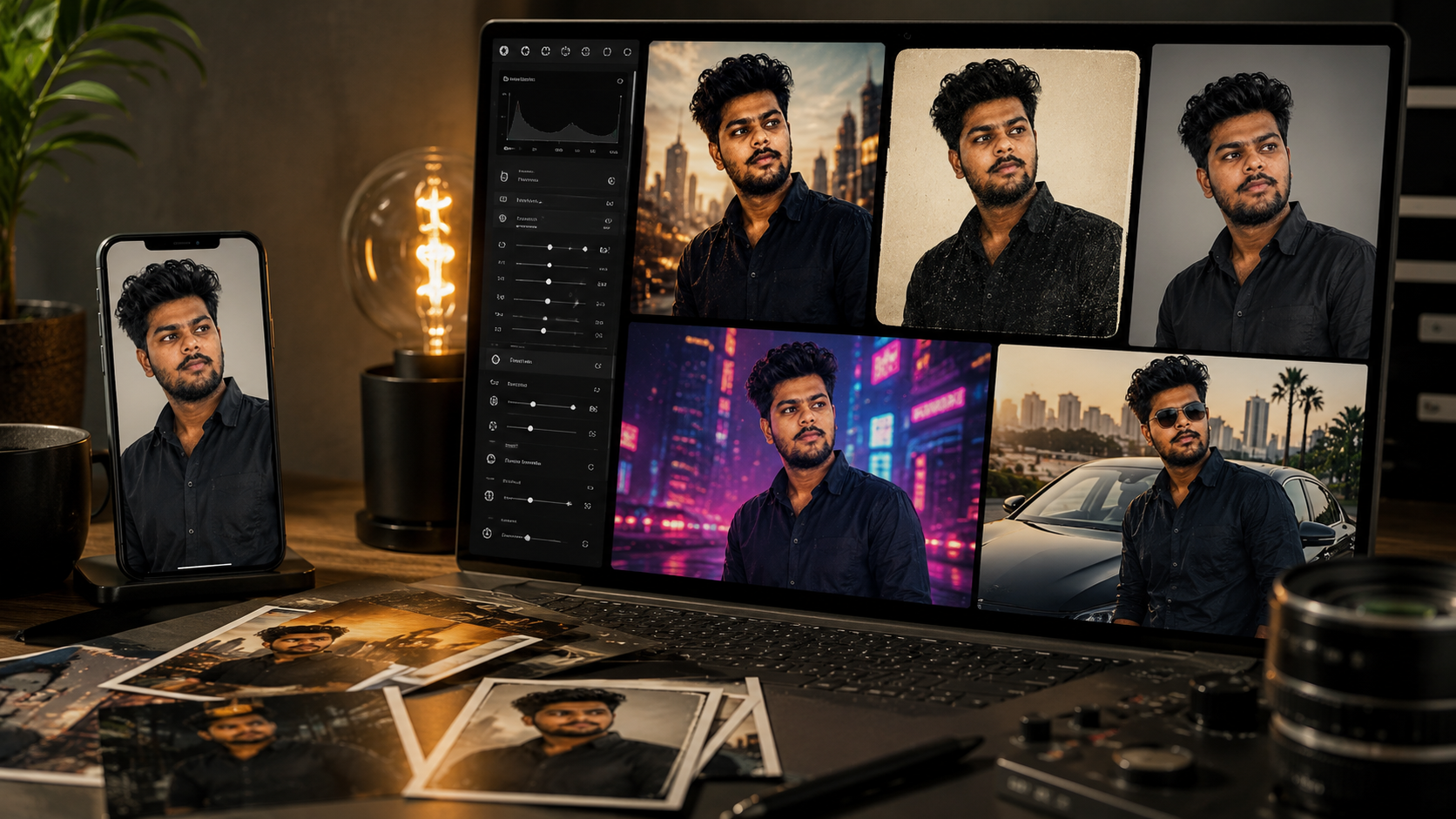
In this guide, you’ll find 10 viral ChatGPT photo editing prompts designed for different styles, including cinematic edits, vintage photography, professional portraits, travel scenes, movie-poster concepts and futuristic visuals.
You can copy these prompts, upload your reference photo when supported, and customize them according to your idea.
How to Get Better Results From AI Photo Editing
Before using an editing prompt, start with a clear reference photo.
Then describe three important things:
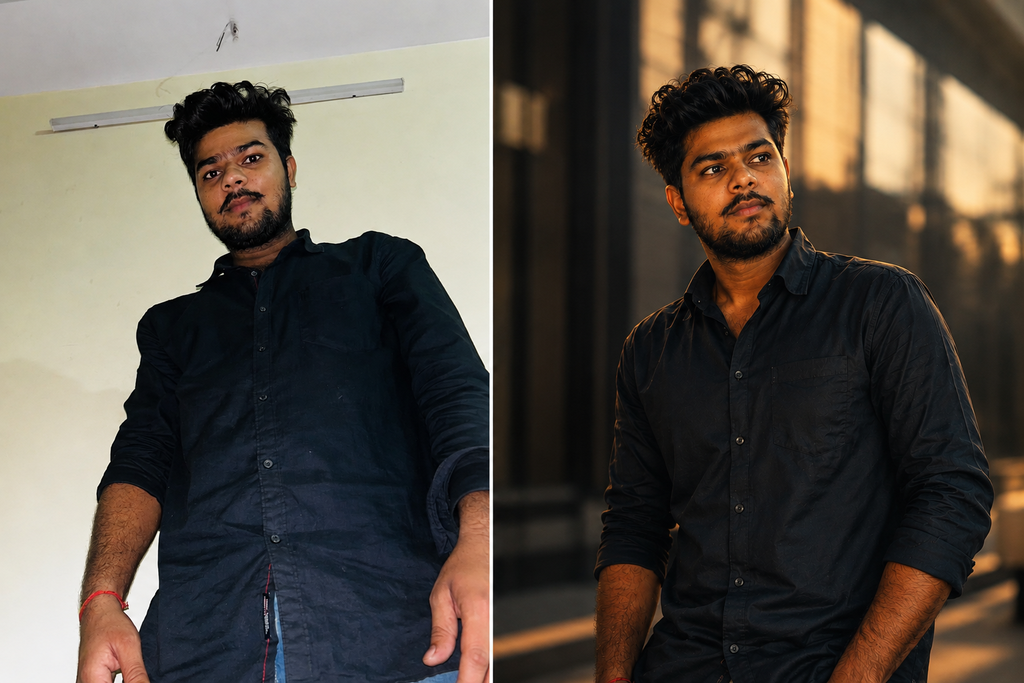
What should stay the same?
Tell the AI to preserve the person’s identity, facial characteristics and important details.
What should change?
Clearly describe the new background, clothing, lighting, atmosphere or photography style.
What should the final image look like?
Mention terms such as cinematic photography, editorial photography, realistic lighting or vintage film photography when they match your desired style.
For identity consistency, you can add:
Keep the same facial identity as the reference image. Preserve the person’s recognizable facial characteristics, face shape, eyes, nose, lips, skin tone and hairstyle. Do not replace or significantly alter the person’s identity.
AI tools can still make variations, but clear instructions and a good reference image can help improve consistency.
10 Viral ChatGPT Photo Editing Prompts
1. Cinematic Movie Look
Edit the reference photo into a cinematic movie-style photograph. Keep the same facial identity and recognizable facial characteristics. Replace the background with a dramatic modern city environment during golden hour. Add cinematic lighting, realistic shadows, subtle lens flare, shallow depth of field, natural skin texture and professional color grading. Make the final image look like a frame from a high-budget film while keeping the person realistic and recognizable.
**Keep the same facial identity as the reference image. Preserve the person's recognizable facial characteristics, face shape, eyes, nose, lips, skin tone and hairstyle. Do not replace or significantly alter the person's identity.** Edit the reference photo into a cinematic movie-style photograph. Keep the same facial identity and recognizable facial characteristics. Replace the background with a dramatic modern city environment during golden hour. Add cinematic lighting, realistic shadows, subtle lens flare, shallow depth of field, natural skin texture and professional color grading. Make the final image look like a frame from a high-budget film while keeping the person realistic and recognizable.
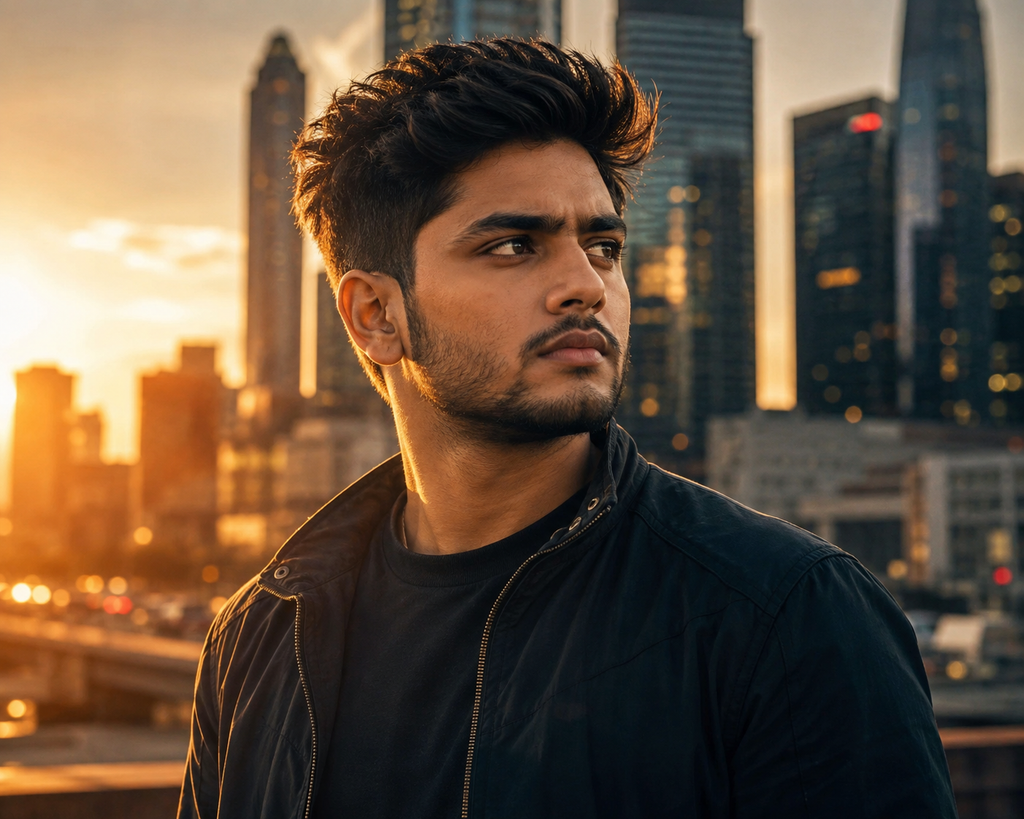
Best for: Instagram portraits and cinematic social-media posts.
2. 90s Vintage Film Look
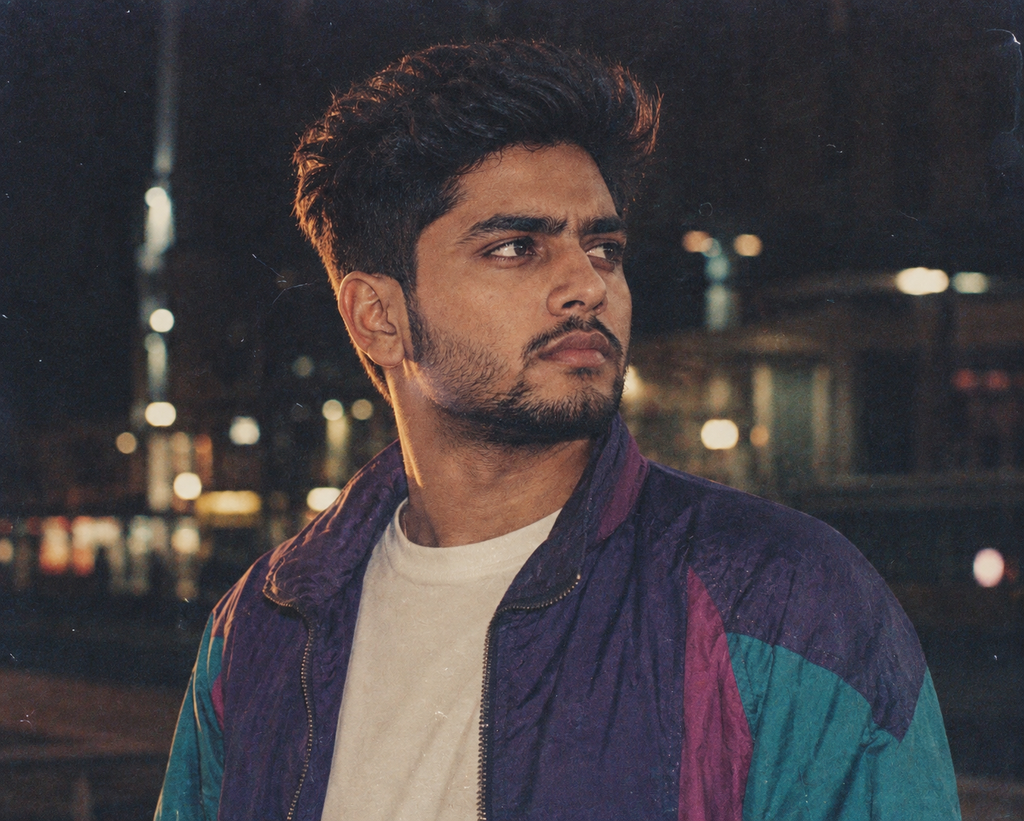
- Transform the reference photo into a realistic 1990s-inspired film photograph. Preserve the same face and identity. Add subtle film grain, natural imperfections, slightly faded tones, soft flash photography, authentic vintage clothing and a nostalgic atmosphere. Make the image look like it was captured on an old film camera rather than digitally generated.
**Keep the same facial identity as the reference image. Preserve the person's recognizable facial characteristics, face shape, eyes, nose, lips, skin tone and hairstyle. Do not replace or significantly alter the person's identity.** Transform the reference photo into a realistic 1990s-inspired film photograph. Preserve the same face and identity. Add subtle film grain, natural imperfections, slightly faded tones, soft flash photography, authentic vintage clothing and a nostalgic atmosphere. Make the image look like it was captured on an old film camera rather than digitally generated.
Best for: Retro Instagram posts and nostalgic content.
3. Luxury Magazine Edit
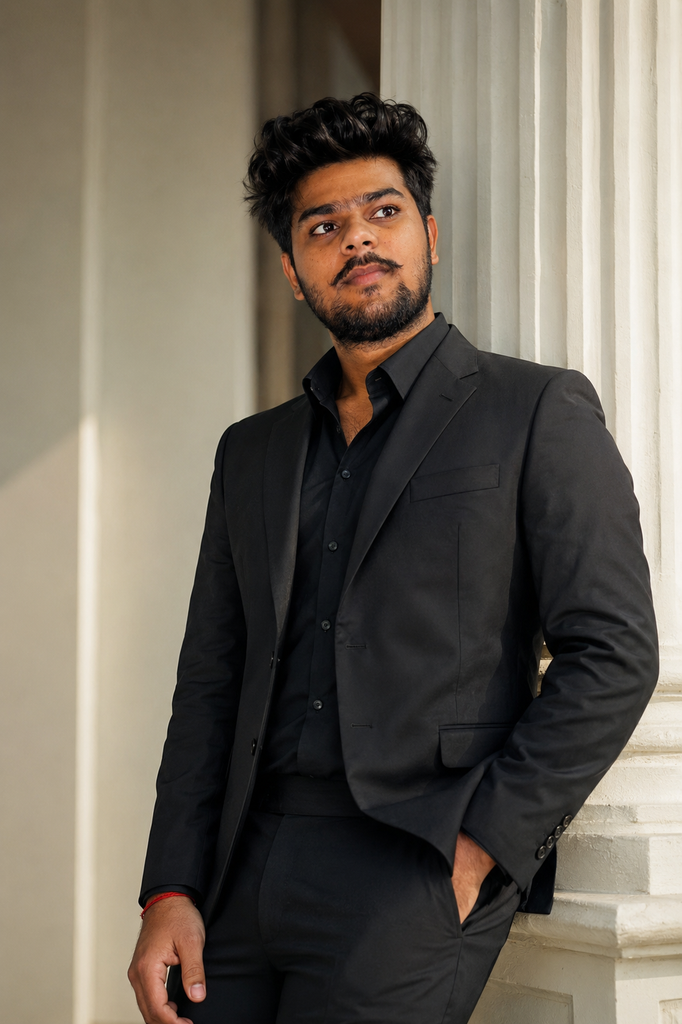
Turn the reference photo into a premium fashion magazine editorial. Keep the same facial identity and natural facial characteristics. Use sophisticated studio lighting, an elegant architectural background, realistic fabric details, refined composition and professional editorial photography. Keep the result believable, polished and natural rather than excessively edited.
**Keep the same facial identity as the reference image. Preserve the person's recognizable facial characteristics, face shape, eyes, nose, lips, skin tone and hairstyle. Do not replace or significantly alter the person's identity.** Turn the reference photo into a premium fashion magazine editorial. Keep the same facial identity and natural facial characteristics. Use sophisticated studio lighting, an elegant architectural background, realistic fabric details, refined composition and professional editorial photography. Keep the result believable, polished and natural rather than excessively edited.
Best for: Fashion and professional social-media content.
4. Professional Studio Portrait
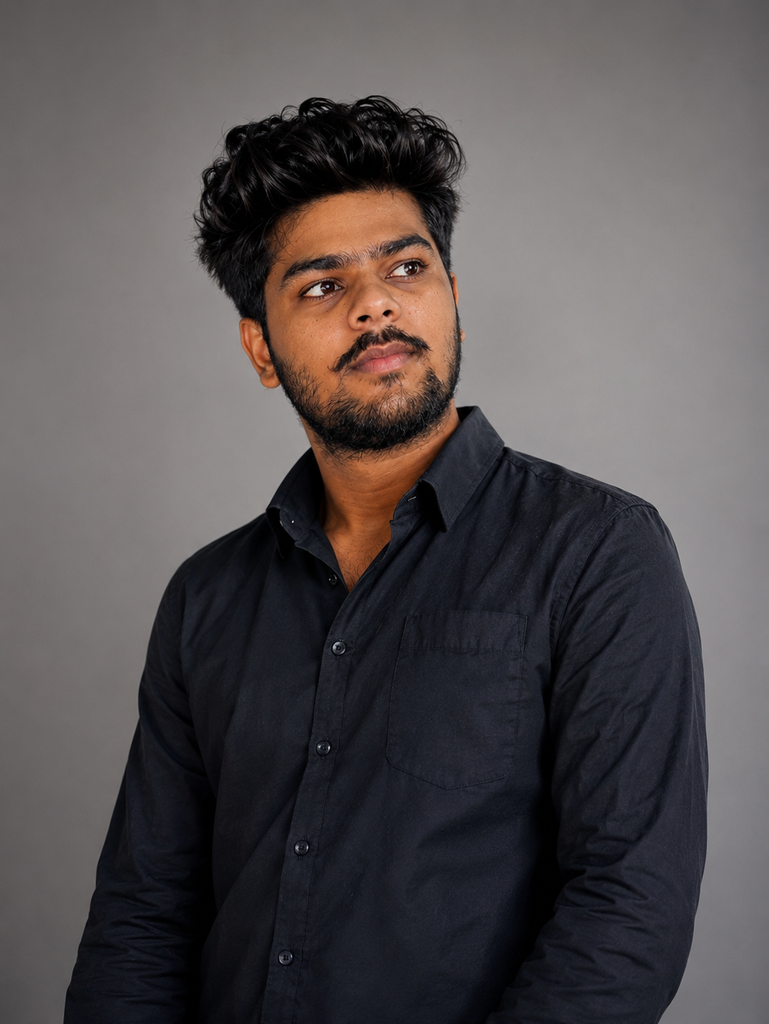
Edit the reference photo into a professional studio portrait. Preserve the exact same identity, facial structure and natural appearance. Use a clean neutral background, soft diffused studio lighting, realistic skin texture, subtle shadows and sharp professional photography. Keep the expression natural and avoid an overly artificial appearance.
**Keep the same facial identity as the reference image. Preserve the person's recognizable facial characteristics, face shape, eyes, nose, lips, skin tone and hairstyle. Do not replace or significantly alter the person's identity.** Edit the reference photo into a professional studio portrait. Preserve the exact same identity, facial structure and natural appearance. Use a clean neutral background, soft diffused studio lighting, realistic skin texture, subtle shadows and sharp professional photography. Keep the expression natural and avoid an overly artificial appearance.
Best for: Profile photos and professional websites.
5. Dream Travel Destination
Transform the reference photo into a realistic travel photograph. Keep the same face and identity. Place the person at a breathtaking mountain viewpoint overlooking a scenic landscape during sunrise. Add natural golden light, realistic atmospheric depth, detailed surroundings and professional travel photography. Make the final image look authentic and naturally photographed.
**Keep the same facial identity as the reference image. Preserve the person's recognizable facial characteristics, face shape, eyes, nose, lips, skin tone and hairstyle. Do not replace or significantly alter the person's identity.** Transform the reference photo into a realistic travel photograph. Keep the same face and identity. Place the person at a breathtaking mountain viewpoint overlooking a scenic landscape during sunrise. Add natural golden light, realistic atmospheric depth, detailed surroundings and professional travel photography. Make the final image look authentic and naturally photographed.
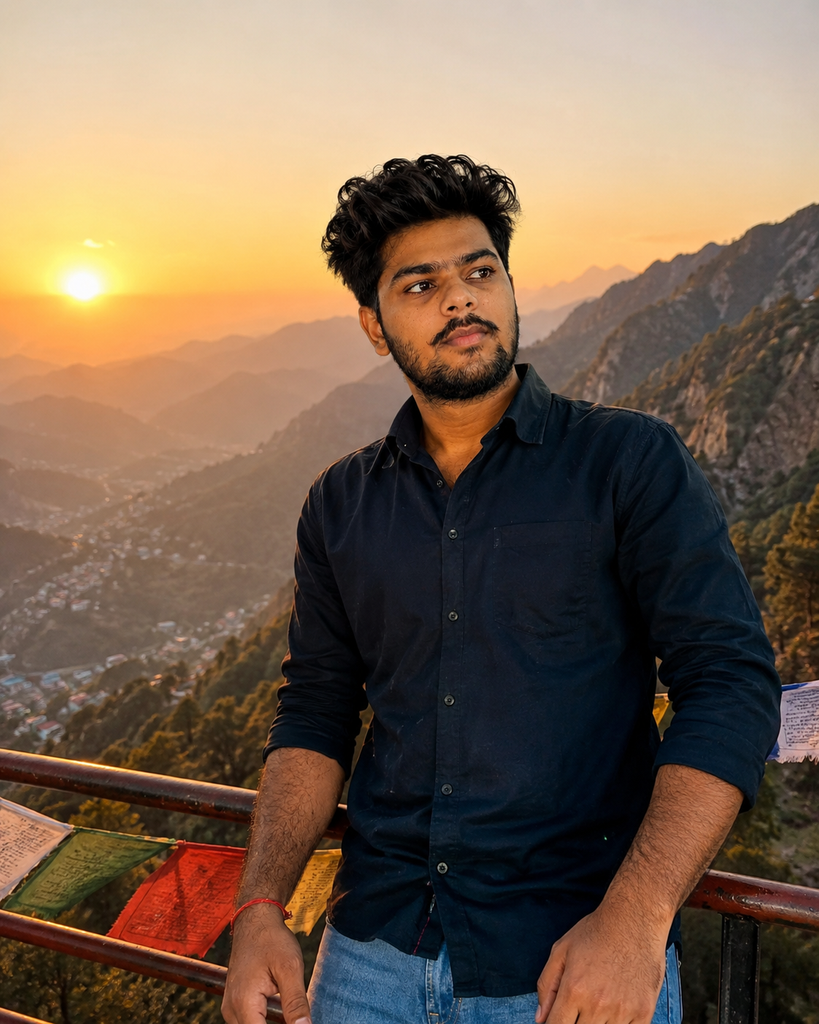
Best for: Travel content and Instagram posts.
6. Rainy Night Cinematic Edit
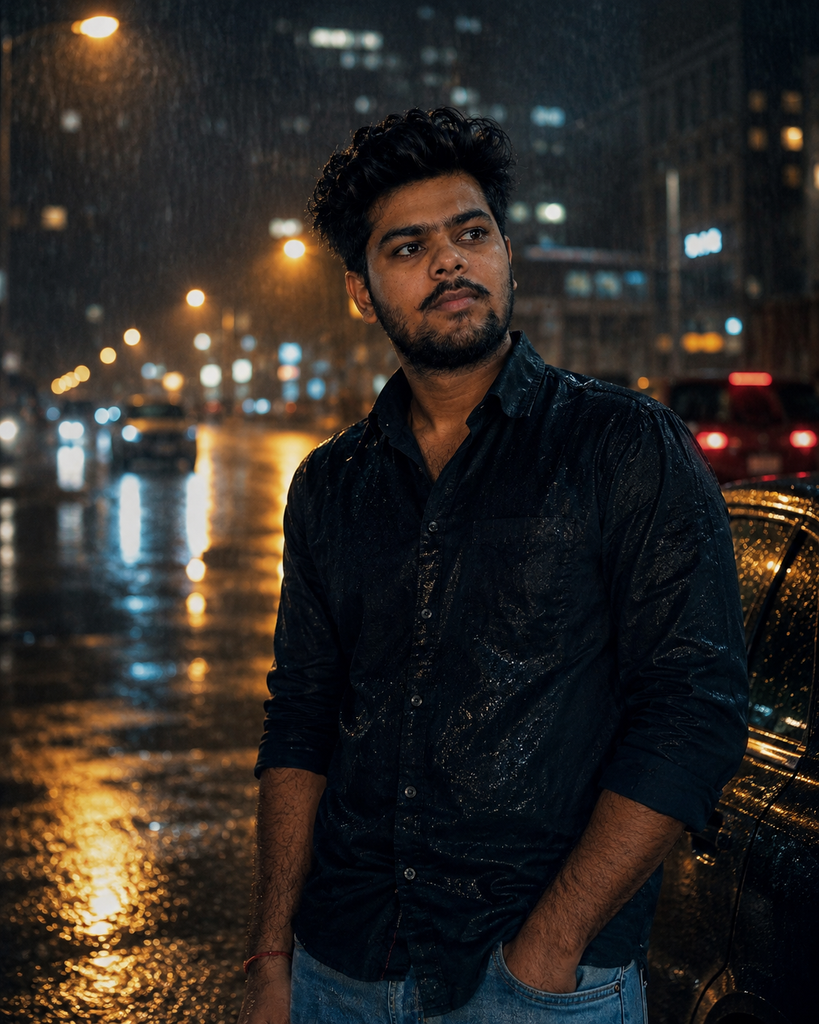
Edit the reference image into a cinematic rainy-night scene. Preserve the same facial identity and recognizable facial features. Place the person on a modern city street at night with realistic rainfall, wet pavement reflections, glowing street lights and subtle atmospheric mist. Use dramatic cinematic lighting and realistic photography while keeping the person natural.
**Keep the same facial identity as the reference image. Preserve the person's recognizable facial characteristics, face shape, eyes, nose, lips, skin tone and hairstyle. Do not replace or significantly alter the person's identity.** Edit the reference image into a cinematic rainy-night scene. Preserve the same facial identity and recognizable facial features. Place the person on a modern city street at night with realistic rainfall, wet pavement reflections, glowing street lights and subtle atmospheric mist. Use dramatic cinematic lighting and realistic photography while keeping the person natural.
Best for: Moody and cinematic social-media content.
7. Classic Black-and-White Edit
Transform the reference photo into a timeless black-and-white editorial portrait. Keep the same face and identity. Use strong directional lighting, realistic shadows, detailed facial texture and sophisticated composition. Create a premium professional photography aesthetic inspired by classic portrait photography.
Best for: Minimalist and professional portraits.
8. Futuristic Neon Edit
Transform the reference photo into a realistic futuristic city portrait. Preserve the same facial identity and key facial characteristics. Place the person in a modern neon-lit city at night with glowing architectural details, subtle reflections, atmospheric fog and cinematic lighting. Keep the person’s face realistic and recognizable while creating a futuristic photography aesthetic.
Best for: Technology and creative AI content.
9. Luxury Car Lifestyle Edit
Edit the reference photo into a premium automotive lifestyle photograph. Keep the same face and identity. Place the person beside a modern luxury car on a stylish city street during sunset. Add realistic reflections, cinematic evening lighting, detailed surroundings and professional lifestyle photography. Make the image look naturally photographed and sophisticated.
**Keep the same facial identity as the reference image. Preserve the person's recognizable facial characteristics, face shape, eyes, nose, lips, skin tone and hairstyle. Do not replace or significantly alter the person's identity.** Edit the reference photo into a premium automotive lifestyle photograph. Keep the same face and identity. Place the person beside a modern luxury car on a stylish city street during sunset. Add realistic reflections, cinematic evening lighting, detailed surroundings and professional lifestyle photography. Make the image look naturally photographed and sophisticated.
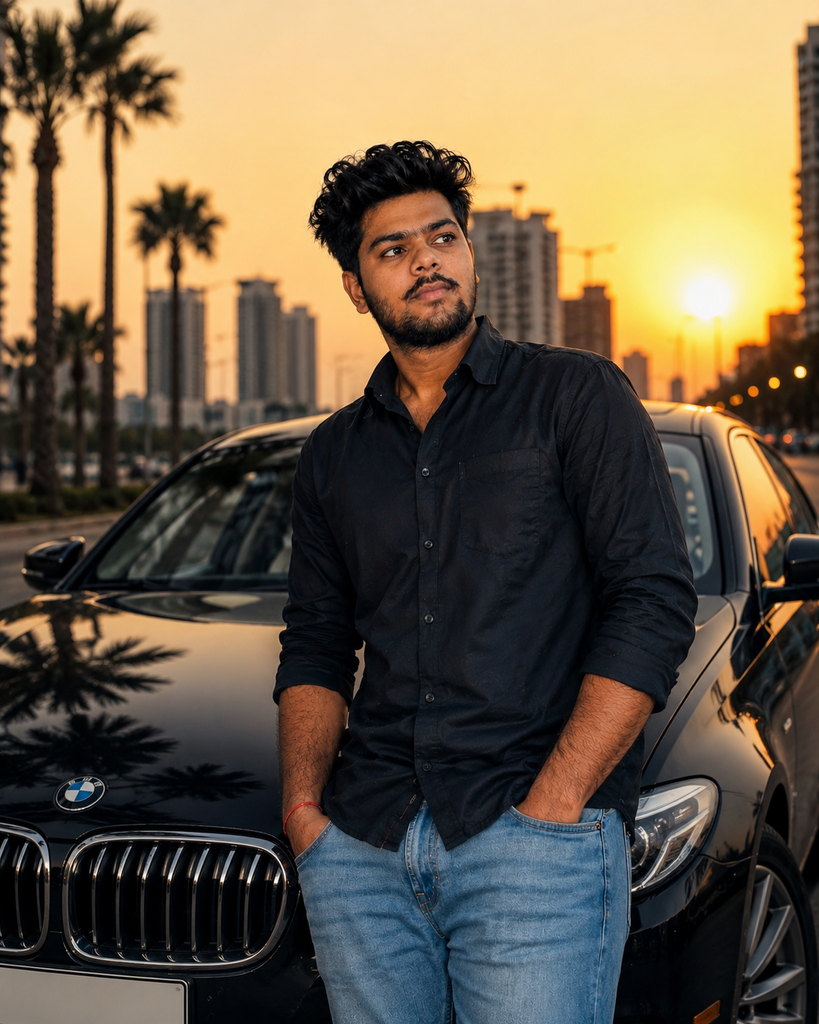
Edit the reference photo into a premium automotive lifestyle photograph. Keep the same face and identity. Place the person beside a modern luxury car on a stylish city street during sunset. Add realistic reflections, cinematic evening lighting, detailed surroundings and professional lifestyle photography. Make the image look naturally photographed and sophisticated.
Best for: Lifestyle and automotive content.
10. Viral Instagram Transformation
- Transform the reference photo into a highly eye-catching but realistic Instagram photograph. Preserve the same facial identity, face shape, eyes, nose, lips, skin tone and hairstyle. Place the person in a visually impressive modern environment with cinematic lighting, natural expression, realistic skin texture and professional editorial photography. Make the final image polished, authentic and scroll-stopping without making it look artificial.
Best for: Instagram and Pinterest content.
Tips to Make AI Photo Edits Look More Realistic
One of the easiest ways to improve AI photo edits is to avoid changing too many things at once.
- For example, if you’re trying a new background, keep the person’s face, clothing and pose similar to the original photo. Once you get a good result, experiment with lighting or clothing in another version.
- Another useful technique is to describe real photographic details. Instead of saying “make it beautiful,” explain what you actually want: soft window light, shallow depth of field, realistic shadows, natural skin texture or subtle film grain.
- You should also avoid adding unnecessary effects. Too much glow, excessive sharpness or unrealistic lighting can make an otherwise good AI image look artificial.
- For more creative ideas, check out our related guide: 20 ChatGPT Prompts for Instagram AI Photos.
Why ChatGPT Photo Editing Prompts Are Useful
The advantage of detailed prompts is that they give you more control over the creative process.
You can start with one photograph and experiment with completely different visual styles without changing the original idea. A simple portrait can become a cinematic scene, vintage photograph, professional headshot or futuristic city image depending on the instructions you provide.
This makes AI photo editing especially useful for social-media creators, bloggers, marketers and anyone who enjoys experimenting with visual content.
Final Thoughts
AI photo editing is becoming a powerful way to experiment with photography without needing advanced editing skills.
These 10 ChatGPT photo editing prompts give you a starting point for creating cinematic, vintage, professional, travel, futuristic and lifestyle images.
The best results usually come from combining a clear reference image with specific instructions about what should stay the same and what should change.
Try the prompts one at a time, customize the details, and save the versions that produce the results you like most.
Want more AI photo ideas? Explore our other ChatGPT prompt guides on PromptBazaarHub and discover new ways to create better AI images.