Best ChatGPT Prompt for Writing Professional Emails

Professional email writing is more challenging than it may seem. Choosing the proper wording, maintaining a friendly tone, clearly expressing your intentions, and making your message professional rather than informal is what it takes. Depending on whether you are addressing a manager, a teacher, a client, a recruiter, a colleague, or a business partner, your email can leave an impressive first impression.
The positive thing about ChatGPT is that it can assist you to draft emails which are professionally written, well-structured, and clear within seconds. All you need to do is give the proper prompt along with your situation and allow ChatGPT to make the email that suits your needs.
This guide includes ChatGPT prompts to draft professional emails, examples, variations, and tips.
Why Use ChatGPT for Professional Emails?
With the use of ChatGPT, you can save your time in case you don’t know how to begin writing and organize your email. Rather than looking at the blank page, you can explain your thoughts to ChatGPT and ask it to write a professional email for you.
It can help with:
• Composing emails from scratch
• Enhancing an already written email
• Making emails more courteous
• Condensing emails to make them concise and clear
• Formulating either formal or informal emails
• Composing subject lines
• Fixing grammar and spelling mistakes
• Changing the tone according to the recipient
• Arranging complex data
However, you must remember to check the final email before sending it. Ensure that the names, dates, facts, attachments, and other critical details are accurate
Best ChatGPT Prompt for Writing Professional Emails
Copy and paste the following prompt into ChatGPT:
Role: Business Communication Expert
Scenario: Professional email based on provided details
Write a professional, polite and brief email according to the following information. Choose an appropriate subject line, salutation, body content and conclusion for the email. Write the email in a readable and understandable language. Try not to use extra words and unnecessary vocabulary.
If there is some information missing that you require, please let me know. My details are as follows:
Recipient: [Name/Role]
Purpose: [Why you are writing]
Important details: [Add the information]
Tone: [Formal/Friendly/Polite/Professional]
Desired action: [What you want the recipient to do]
This prompts ChatGPT to give you an email that fits your situation rather than providing you with just another generic email.
Example: Email to a Manager
Assume you have to make an appointment with your manager. You could type in:
Recipient: Manager
Purpose: Request a short meeting
Important details: I want to discuss my current project and next steps
Tone: Professional and polite
Desired action: Ask for a convenient meeting time
ChatGPT can then create a structured email with a suitable subject line and a concise request.
The important part is that you are giving ChatGPT context. The more useful information you provide, the more accurately it can understand what you need.
ChatGPT Prompt for a Formal Email

For communication with a company, manager, professor, client, or other professional contact, try this version:
Composing an email on [subject] in a highly professional manner. The language that should be used will be formal yet not artificial. This is to ensure that the email is written professionally and concisely. A clear subject line for the email will be stated at the start.
This is particularly useful when the email represents you in an important professional situation.
ChatGPT Prompt for a Polite Email
Sometimes your message may be simple, but you want to make sure it does not sound rude or demanding.
Rewrite my email so that it sounds polite, respectful, professional, and natural. Keep my original meaning and important information unchanged. Remove wording that could sound rude, demanding, aggressive, or unclear. Make the final email concise and easy to understand.
This works well for requests, reminders, follow-ups, complaints, and workplace communication.
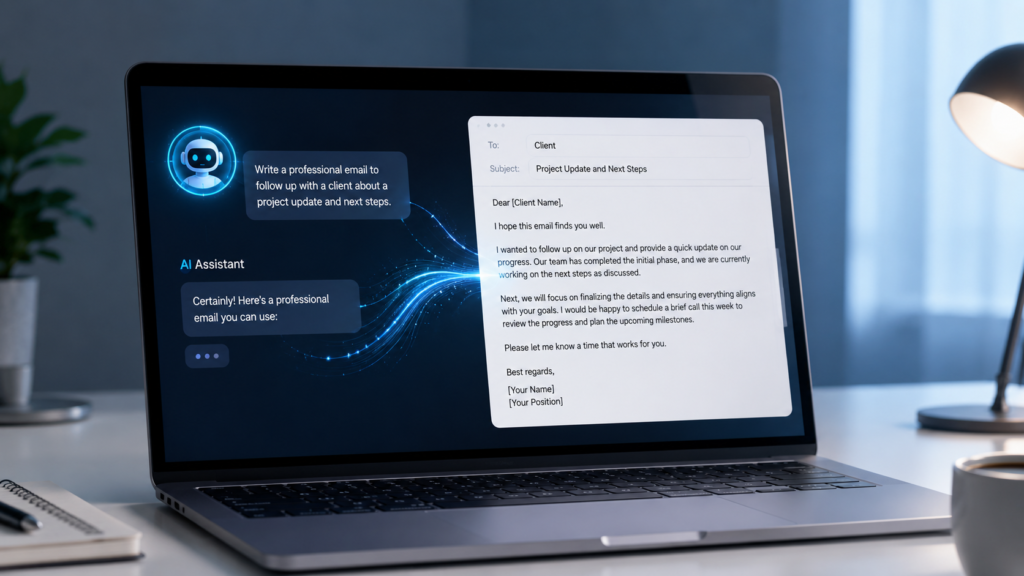
ChatGPT Prompt for Follow-Up Emails
Following up can feel awkward, especially when you have not received a response. ChatGPT can help you create a respectful reminder.
Try:
Write a short and polite follow-up email regarding [topic]. Mention that I am following up on my previous message without sounding impatient or demanding. Keep the tone professional and friendly. End with a clear but polite request for an update.
A good follow-up email should be brief and should make it easy for the recipient to understand what you are waiting for.
ChatGPT Prompt for Job Applications
If you are applying for a job, you can also use ChatGPT to improve your email:
Write a professional job application email for the position of [job title] at [company name]. Briefly introduce me, mention my relevant skills or experience, explain my interest in the position, and politely mention my attached resume. Keep the email concise, confident, and professional without exaggerating my qualifications
Always check that every qualification mentioned is actually true before sending the email.
How to Get Better Results from ChatGPT
A common mistake is writing a very short instruction such as:
“Write an email to my manager.”
This does not give ChatGPT enough information.
Instead, provide details such as:
- Who will receive the email?
- Why are you writing?
- What information must be included?
- What action do you want?
- Should the email be formal or friendly?
- How long should it be?
For example, saying “Write a short, polite email asking my manager for an update on my project” gives ChatGPT much better direction.
You can also ask ChatGPT to create two or three versions with different tones, such as formal, friendly, and very concise. You can then choose the version that best fits your situation.
Final Tips Before Sending an AI-Written Email
Even when ChatGPT creates a good email, do not send it immediately without checking it.
Before sending, verify:
- The recipient’s name is correct.
- The subject line accurately describes the email.
- Dates, times, numbers, and other facts are correct.
- Any promised attachment is actually attached.
- The tone is appropriate for the recipient.
- The email says exactly what you want to communicate.
- There are no unnecessary sentences or repeated points.
Remember, ChatGPT should help you communicate better, not replace your judgment. Your final email should sound like something you would genuinely send.
The right ChatGPT prompt can make professional email writing much faster and easier. Whether you need a formal business email, a polite request, a follow-up message, or a job application email, providing clear context helps ChatGPT produce a much more useful result.
The best approach is simple: explain the situation, identify the recipient, provide the important details, choose the tone, and clearly state what you want the recipient to do.
Save the ready-to-copy prompt from this guide and reuse it whenever you need help writing a professional email. With a little customization and a final human review, you can create emails that are clear, respectful, and professional in much less time.